Dashboard · 8 steps
Around the dashboard
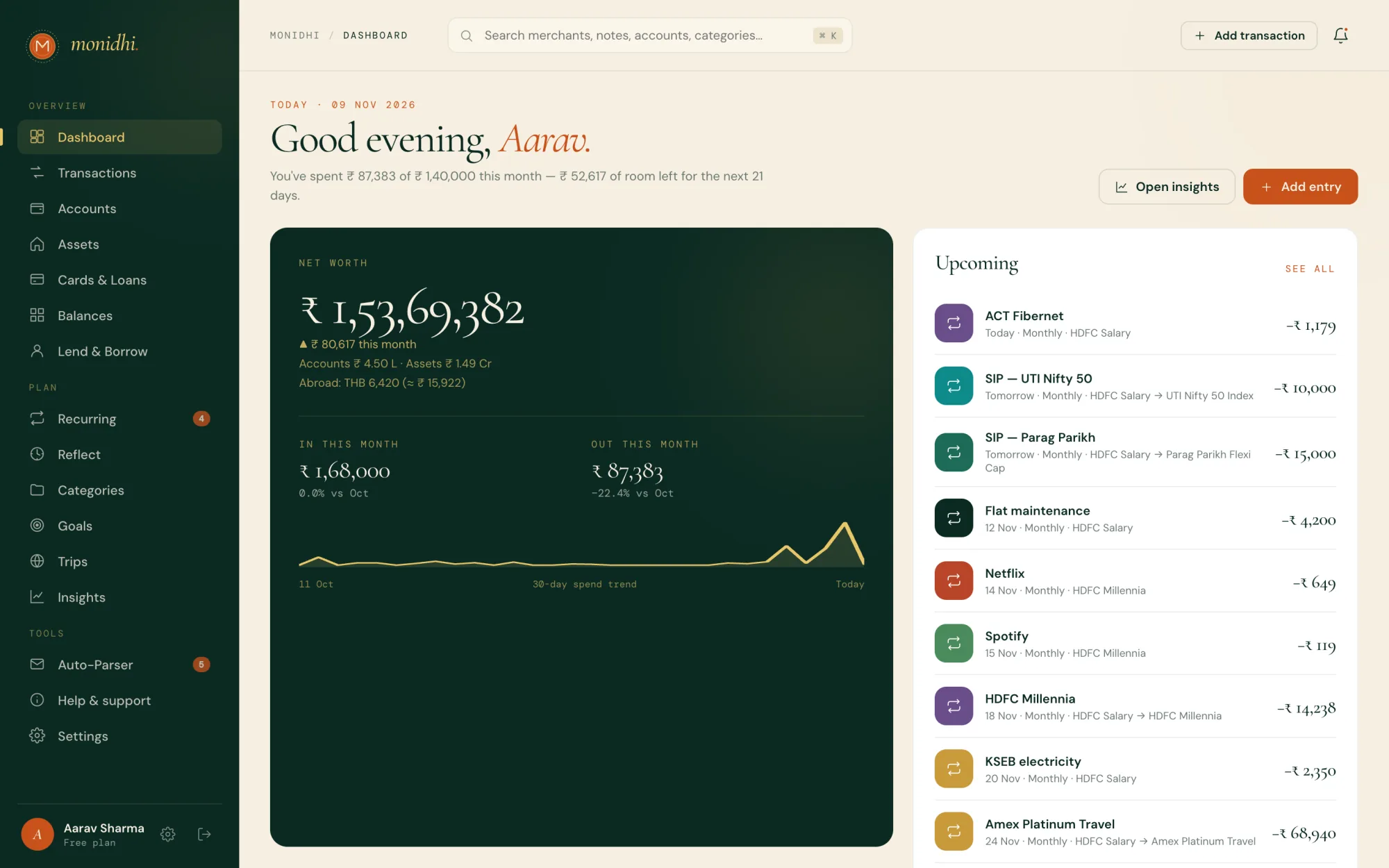
Where every day starts: what you are worth, what is due, and what moved.
FAQ & tutorials
How Monidhi works, in plain words, and a tutorial for every page. In the app each tutorial walks the page itself, with every part highlighted as you go.
What Monidhi is, signing in, and the first things to set up.
A private finance journal for the web, iPhone and Android. It turns the bank messages you already get into entries you confirm in a tap, and keeps the rest of your money in the same place: accounts, cards and loans, investments and property, trips, goals, and the money between you and your friends. One journal, kept in sync on every device you sign in on.
See it in the app, on Dashboard →Enter your email and type the six-digit code we send there. A password is optional: set one under Settings → Security (on the phone, Profile → Security) and the sign-in page offers it. On the web you can add a passkey so Touch ID, Face ID or Windows Hello signs you in; on the phone, turn on biometric sign-in. Google and Apple sign-in are offered where they are set up.
See it in the app, on Settings →Add an account: a bank account, wallet or cash, with what it holds today. Entries move accounts, so everything else builds on them. Then either type entries in, or set up automatic capture so bank SMS and emails arrive by themselves.
See it in the app, on Accounts →Yes. The same journal is on app.monidhi.com, iPhone and Android. A change on one shows on the others within a second or two. Editing the same record on two devices asks before one overwrites the other.
Monidhi needs a connection, since your journal lives on our servers and syncs between devices. When you are offline or the service is down, the apps show a page that says so and reconnect on their own. Known problems are posted on the status page.
Yes. An entry dated before its account was added becomes a past entry: it counts in insights, category trends and budgets, but does not move the balance you typed when you added the account, because that balance already included it. The add form switches Past entry on by itself for such a date. Debt from before Monidhi goes on a person as an opening balance.
See it in the app, on Transactions →Rupees are home: net worth, budgets and insights are in ₹. Accounts can be in any currency, and each entry keeps its own amount plus what it was worth in rupees at the time. The rate comes from one you type on the entry, the trip the account belongs to, or the daily market rate.
Bank SMS, forwarded emails, the Auto-Parser, rules and duplicates.
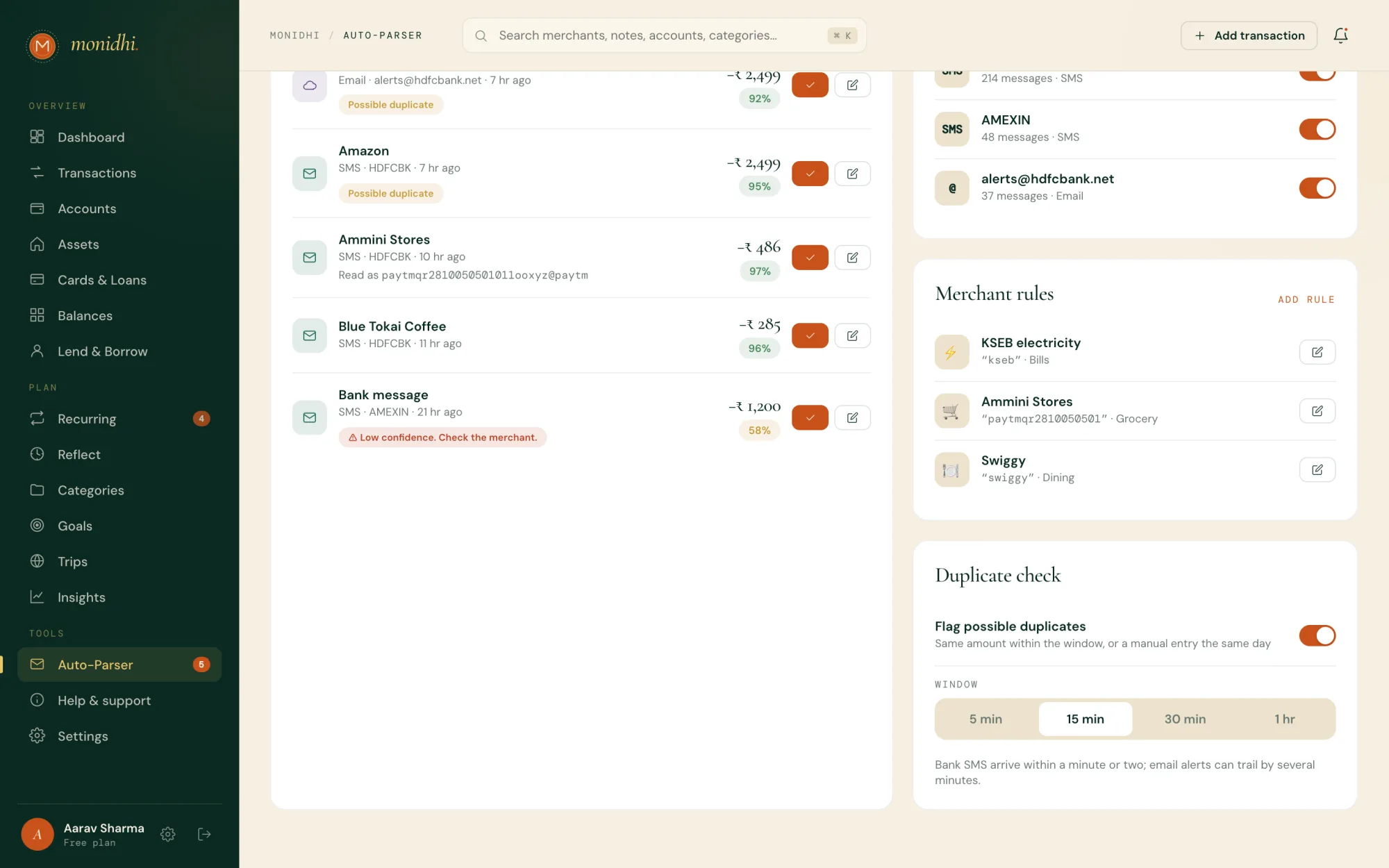
Three ways in. On Android the app receives new bank SMS as they arrive. On an iPhone, which keeps SMS from apps, a Shortcuts automation you set up once hands each bank message to Monidhi. For email, you get your own Monidhi address and forward bank alerts to it, by hand or with a Gmail or Outlook rule. Each message becomes an item under Auto-Parser for you to confirm; nothing is filed until you do.
See it in the app, on Auto-Parser →Monidhi reads each message on its server and keeps the amount, merchant, sender and time, plus a one-way fingerprint so a message that arrives twice is only staged once. The message text is discarded once it has been read, and nothing is filed until you confirm it.
No. Each SMS is checked on the phone first, and only a message with an amount and a word like debited or credited is sent. One-time passwords and promotional messages never leave the phone. On an iPhone the Shortcuts action runs the same check.
On the web, Auto-Parser → Bank emails → How to set it up, or Bank SMS → Android steps or iPhone steps. On the phone, Settings → Automatic capture → Set up step by step walks you through with a button and a live status on each step.
See it in the app, on Auto-Parser →Open the set-up guide for that channel and read If something is off: an SMS permission that was taken away, a phone that stops apps in the background, a Gmail filter that does not match the bank’s address, or an email with no amount in it. Meanwhile, Manual parse takes a pasted message.
See it in the app, on Auto-Parser →How sure the parser is that it read the amount, the direction and the payee right. Items at 90% or above go in together with Confirm all; the rest wait for you to look. Edit an item to correct it before confirming.
Your own names and categories for payees. A UPI payment usually names the payee by its UPI ID; a rule on that ID gives the shop’s name back and files it under the category you chose, every time it comes back. Add rules under Auto-Parser, or tick Use for future messages while reviewing an item. A rule renames items still waiting for review, never entries already filed.
See it in the app, on Auto-Parser →The same amount in the same direction arrived twice within the duplicate window (15 minutes by default; 5, 30 or 60 under Duplicate check), as happens when a bank sends both an SMS and an email. An entry you typed the same day counts too. Flagged items are held back from Confirm all and grouped under Possible duplicates, where you keep one, skip the copies, or mark them as separate payments.
Yes. Under Auto-Parser, Read forwarded emails has a switch, and a phone can be removed from Bank SMS. On the phone, Settings → Automatic capture turns SMS capture off.
Adding, editing and finding entries; transfers; closing an account.
Add transaction in the top bar, Add entry on the dashboard or Transactions, or the plus button on the phone. Pick the account, the amount, the category and the date; a note and line items are optional.
See it in the app, on Transactions →Transfer on Accounts, or from an account’s page. It moves money from one account to another, or to a card to pay its bill, and is neither income nor spending. Across currencies, type what landed on the other side and the rate is worked out.
See it in the app, on Accounts →Open Transactions and click the row. Its details open beside the list with Edit and Delete. On the phone, tap the entry.
See it in the app, on Transactions →Search in the top bar (⌘K) looks through merchants, notes, accounts and categories across your whole history. On Transactions, filter by kind, date range, amount, account or category, and sort by date or by size.
See it in the app, on Transactions →Yes. An entry can carry line items, each with a label and an optional amount, in the paying account’s currency. They need not add up to the total.
Edit the account and choose Archive. It stops taking new entries and leaves your net worth, and its history stays. Show archived on Accounts brings it back into view, and you can bring it back later.
See it in the app, on Accounts →How holdings are valued, invested against worth, and the things you own.
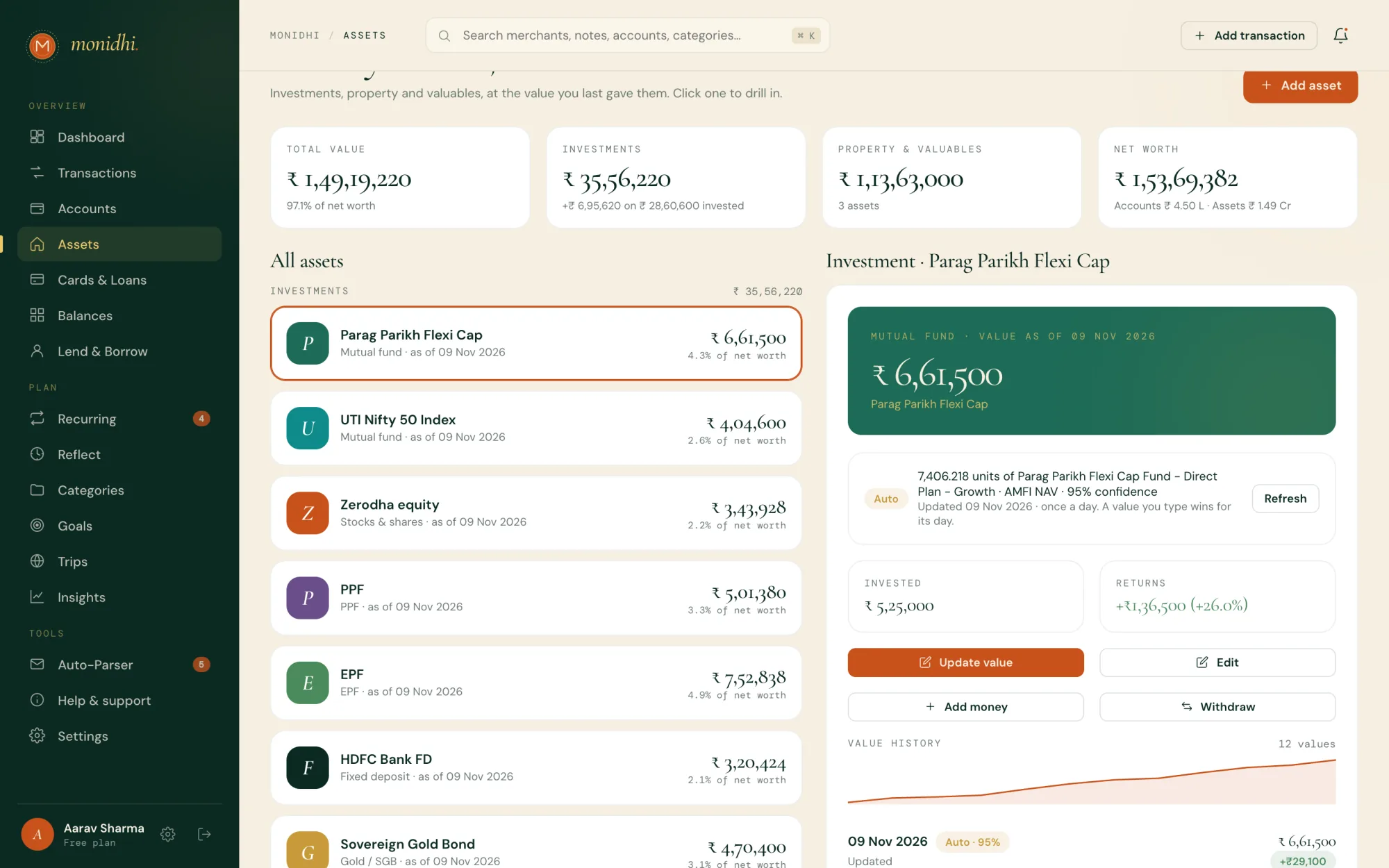
Automatically, where a feed exists: mutual funds at the day’s NAV from AMFI, listed shares, ETFs and crypto at market price, gold by weight at the spot rate per gram. Fixed and recurring deposits, PPF, EPF and bonds are worked out from their terms. Each method shows a confidence percentage. Values refresh once a day in the evening, or on demand with Refresh, and a value you type for the day is kept over the automatic one.
See it in the app, on Assets →Invested is what you put in: SIPs, top-ups and the amount you started with. Worth is the latest value, so the return is always visible. Add money and Withdraw on an investment record transfers, which change what you have invested, not the value; Update value logs a new value.
See it in the app, on Assets →Your home, land, a car, jewellery: anything worth counting. Record what you paid and either type the value or let Monidhi estimate it: a car on the insurer’s depreciation table, jewellery by weight at today’s gold rate, a flat at the yearly growth you expect. A new value changes your net worth, never this month’s spending.
See it in the app, on Assets →The feed could not price the details on the account, usually a wrong ticker or scheme. The last value stands. Open the account, choose Fix details and correct them, then Refresh. A feed that stays down only tells you after three days.
Everything you hold, accounts, investments and assets, less what your cards and loans owe. Archived accounts and foreign accounts with no rate are left out. Money lent and borrowed sits in the accounts it moved, not as a separate line.
See it in the app, on Dashboard →Card bills and EMIs, loans, scheduled payments, the forecast and balances.
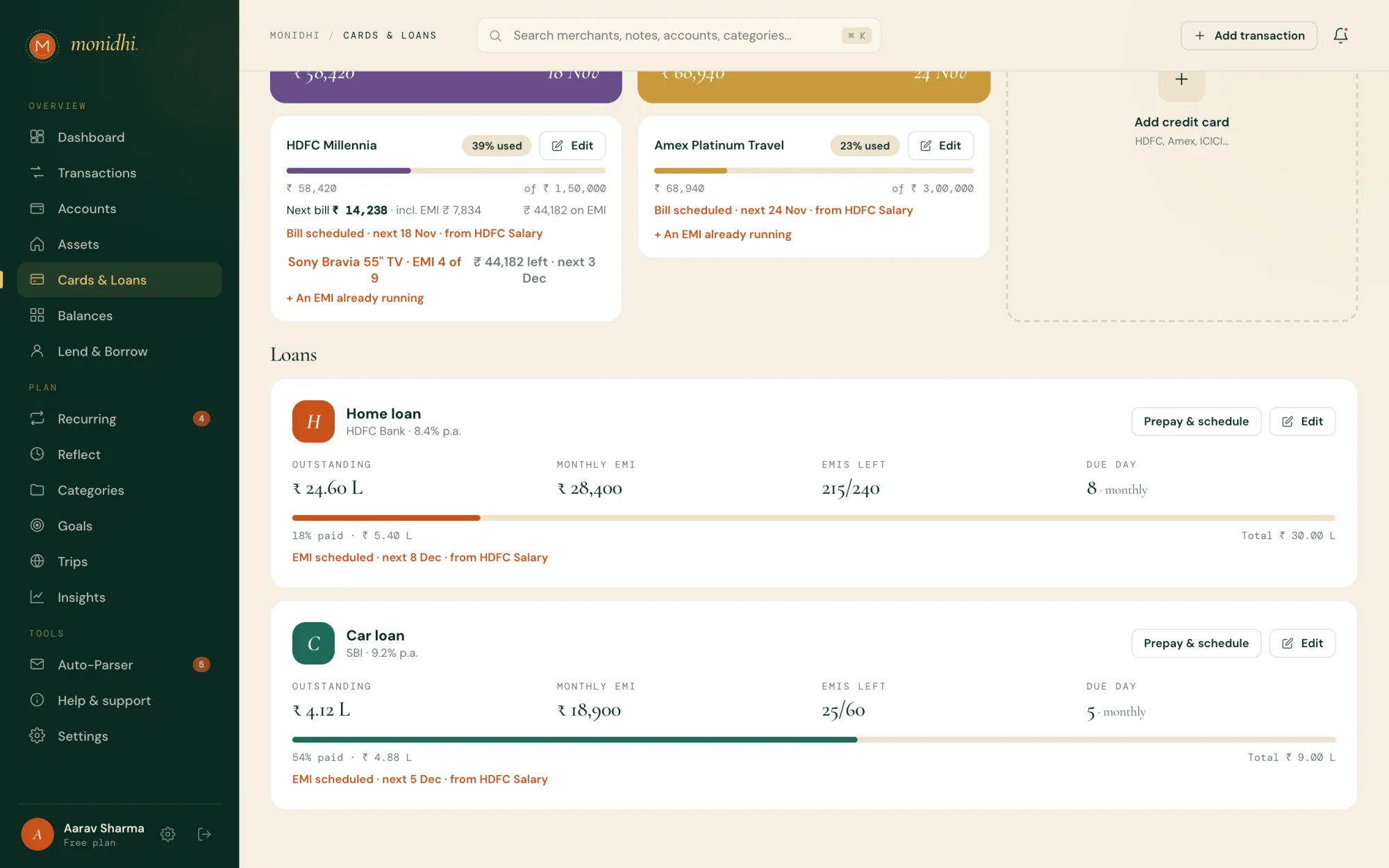
Add a card with its limit, statement day and due day. Spending on it raises what it owes; a transfer to it pays it down. Its bill is scheduled under Recurring for whatever it owes, and Monidhi reminds you on statement day and before the due day while something is outstanding.
See it in the app, on Cards & Loans →Yes. From the entry on a card, convert it to an EMI with the months, the interest rate, the processing fee and the GST on them; Monidhi books each instalment with its interest and fee on the card at every statement. A running EMI from before Monidhi can be added on the card too.
See it in the app, on Cards & Loans →Add a loan with what is outstanding, the EMI, the rate and the EMIs left. The EMI is scheduled under Recurring from the account you choose; confirming it books the payment and takes it off the loan, the month’s interest first. Prepay & schedule shows what an early payment does to the months left and the interest.
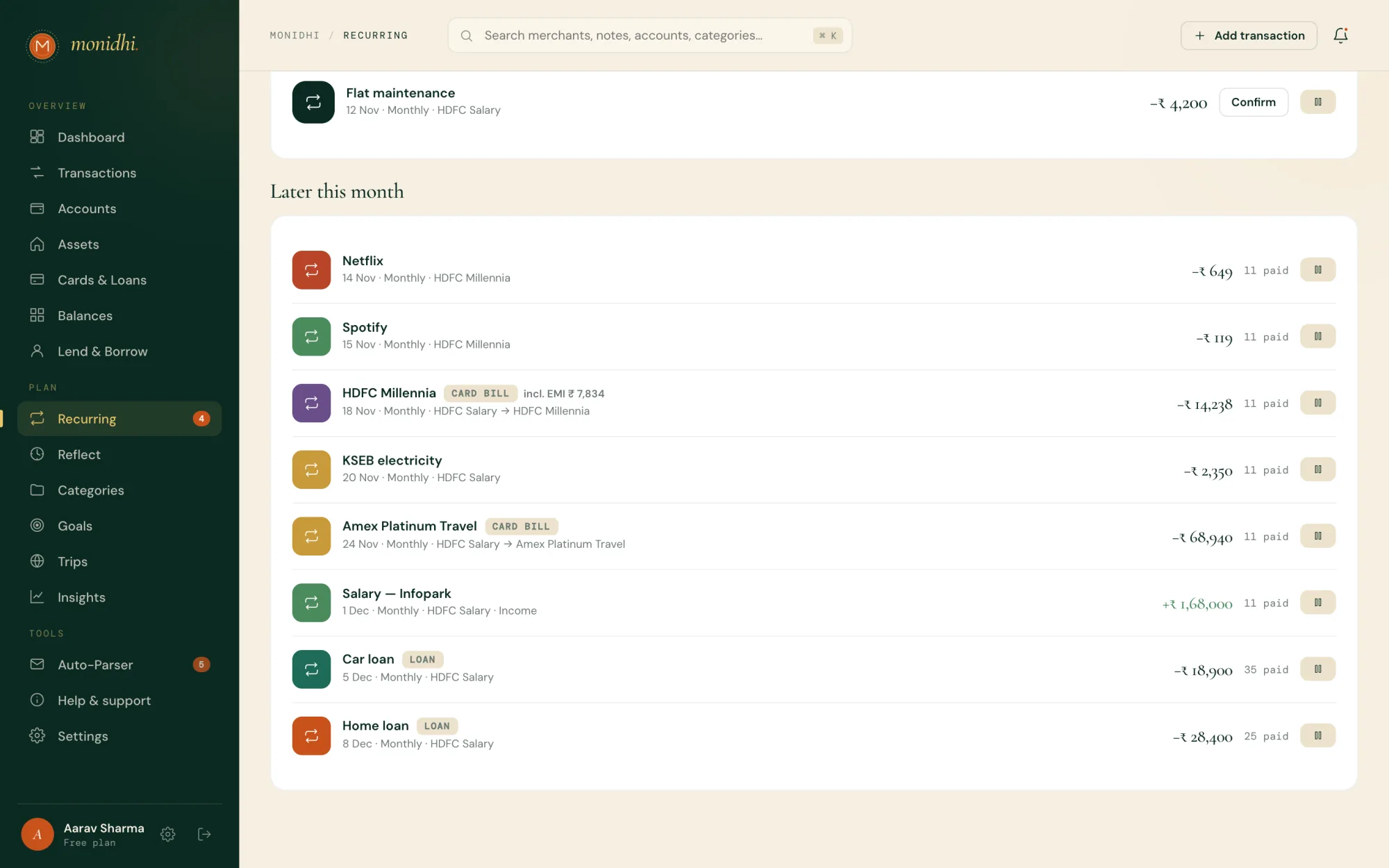
See it in the app, on Cards & Loans →Keeps rent, subscriptions, SIPs and regular transfers, each with its day and the account it leaves. Monidhi reminds you the morning before and on the day; confirm an item once it goes through and the entry is booked. Pause one to skip it. Loan EMIs and card bills come with the loan or card and go when they do.
See it in the app, on Recurring →What your bank, wallet and cash accounts will hold on a day you choose, usually the day before payday. It adds recurring income due in, takes off recurring payments, EMIs and card bills due out, and takes off everyday spending at the pace of your last 30 days. Set a minimum and it says how much you can spend and still keep it. It is on the dashboard, on Reflect, and on Home on the phone.
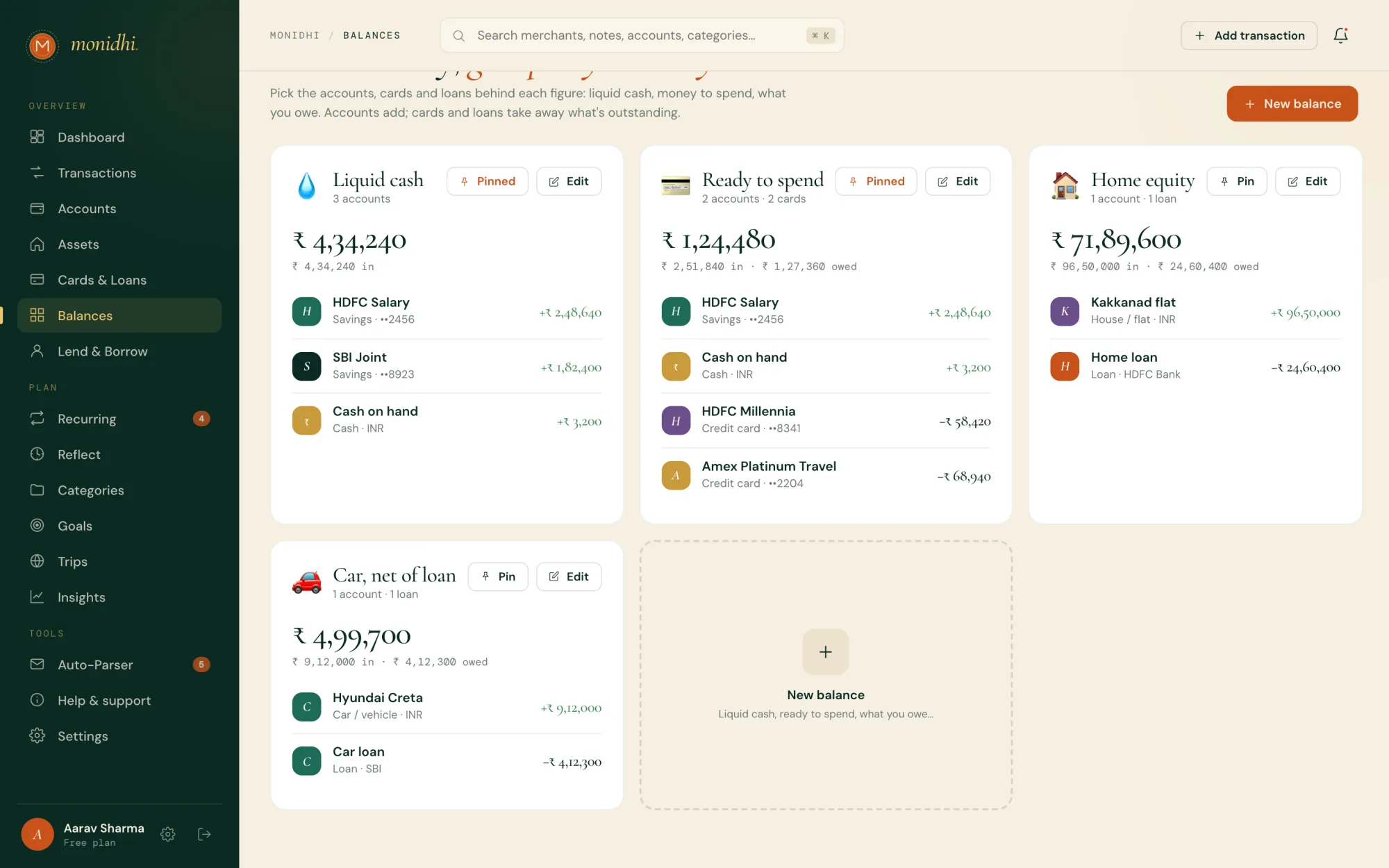
See it in the app, on Dashboard →Figures you build yourself from the accounts, cards and loans you tick: Liquid cash, Ready to spend, Home equity, whatever you check most. Accounts add; cards and loans take away what is outstanding. Pin one to show it on the dashboard and on Home, or put it on a phone widget.
See it in the app, on Balances →Categories and budgets, saving towards something, and the pause before a purchase.
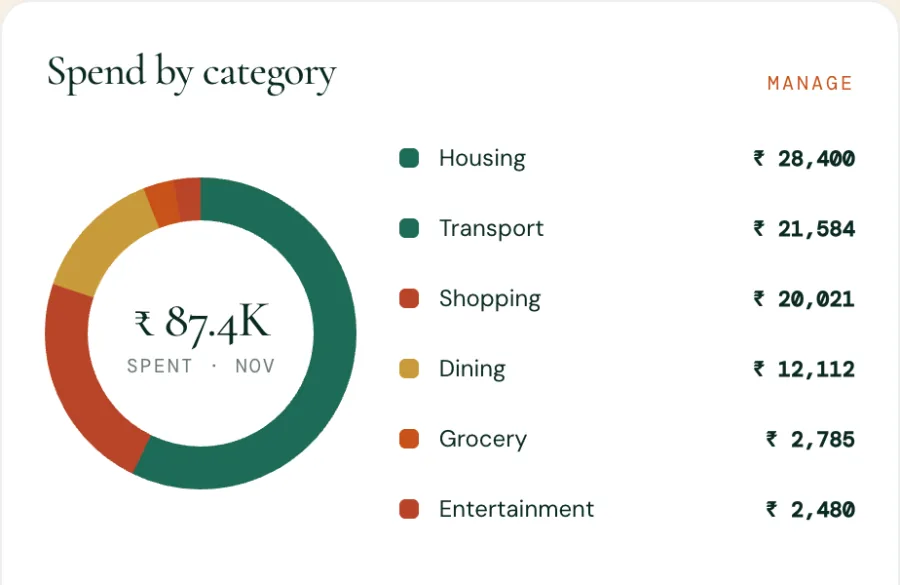
Every entry carries a category, one level deep: a subcategory sits under a parent and spends against the parent’s budget. Give a category a monthly budget and Categories shows whether you are on pace, with a notification when one goes over. Monthly budget sets one figure for the whole month, shown on the dashboard with the room left per day.
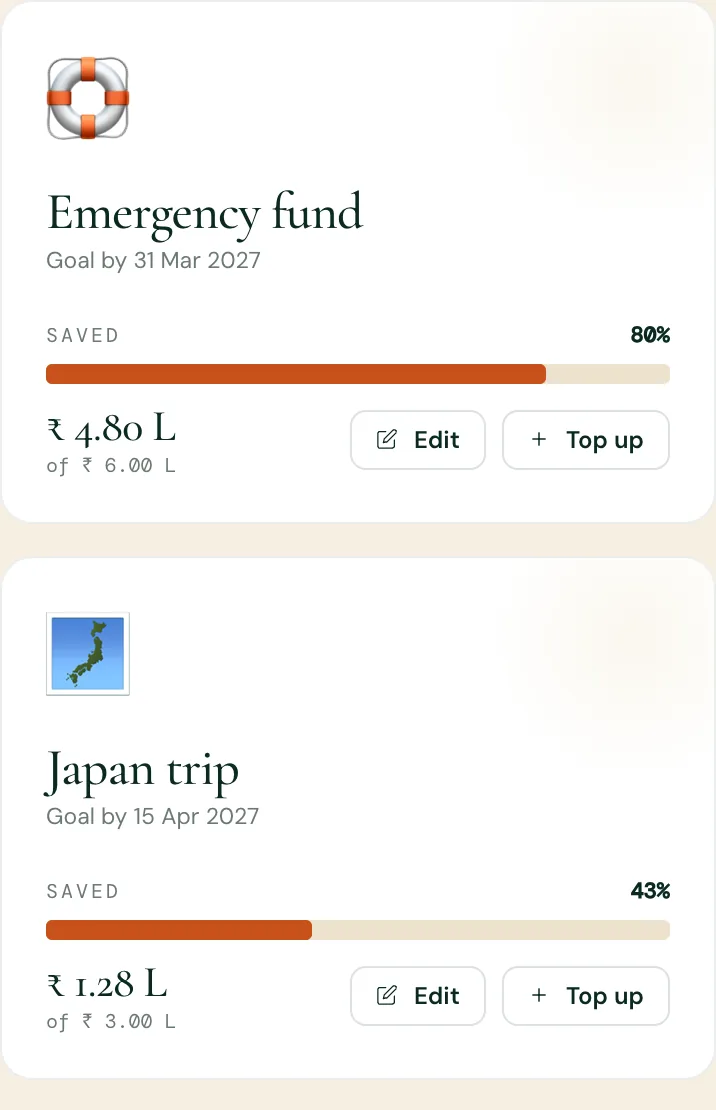
See it in the app, on Categories →Name what you are saving for, with a target and a date. Top up as you set money aside and the goal fills. Reflect shows what a purchase would delay for each open goal.
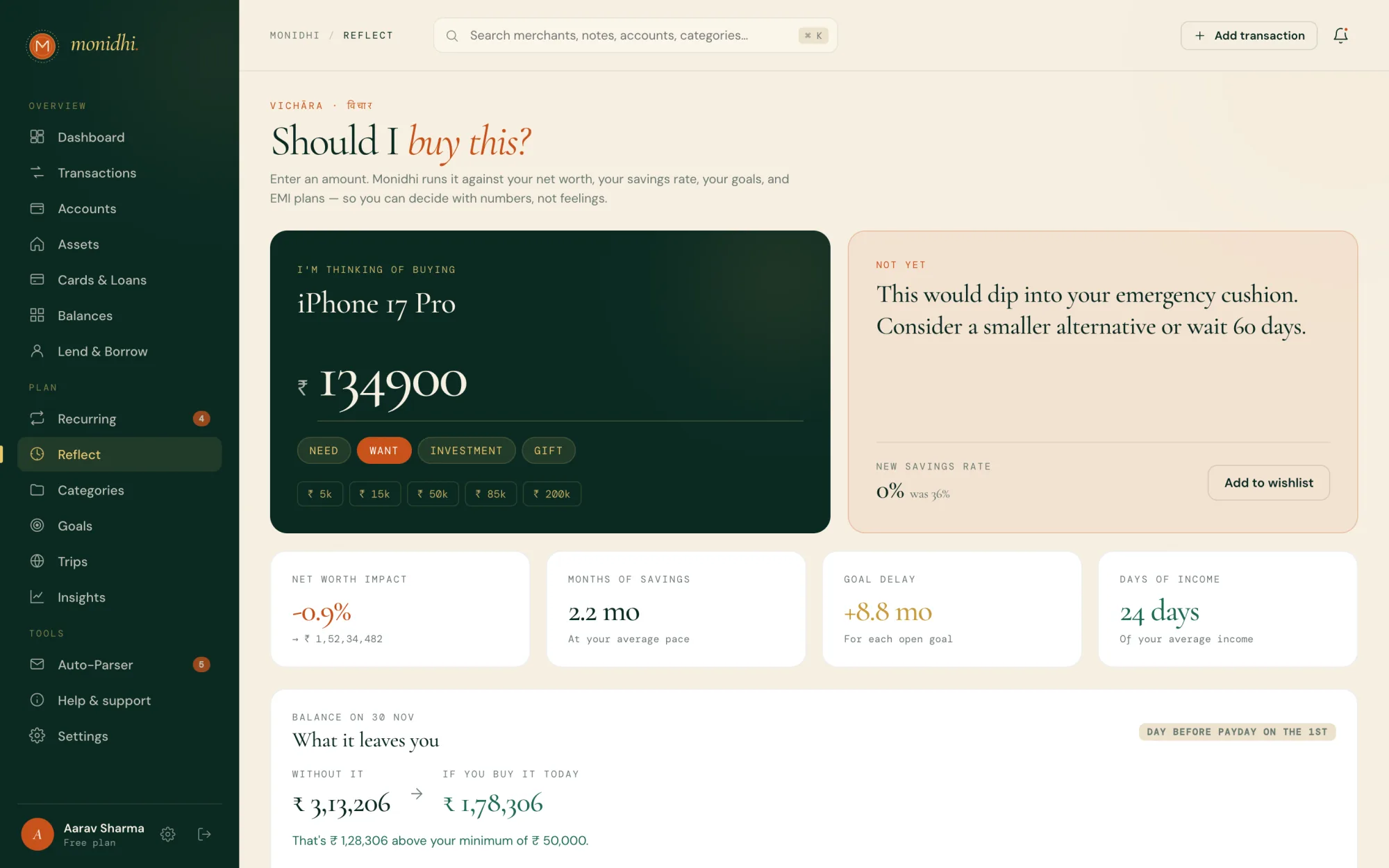
See it in the app, on Goals →A pause before a purchase. Type an amount and Monidhi weighs it against your own numbers: what it does to your savings rate and net worth, how many months of savings it is, what it delays for each goal, what it costs on an EMI, and what it leaves you before payday. Put it on your wishlist for 48 hours and decide with a clear head.
See it in the app, on Reflect →At the bottom of Reflect, with the date to revisit each item. Remove one when you have bought it or let it go.
See it in the app, on Reflect →Money between you and the people and organisations in your life.
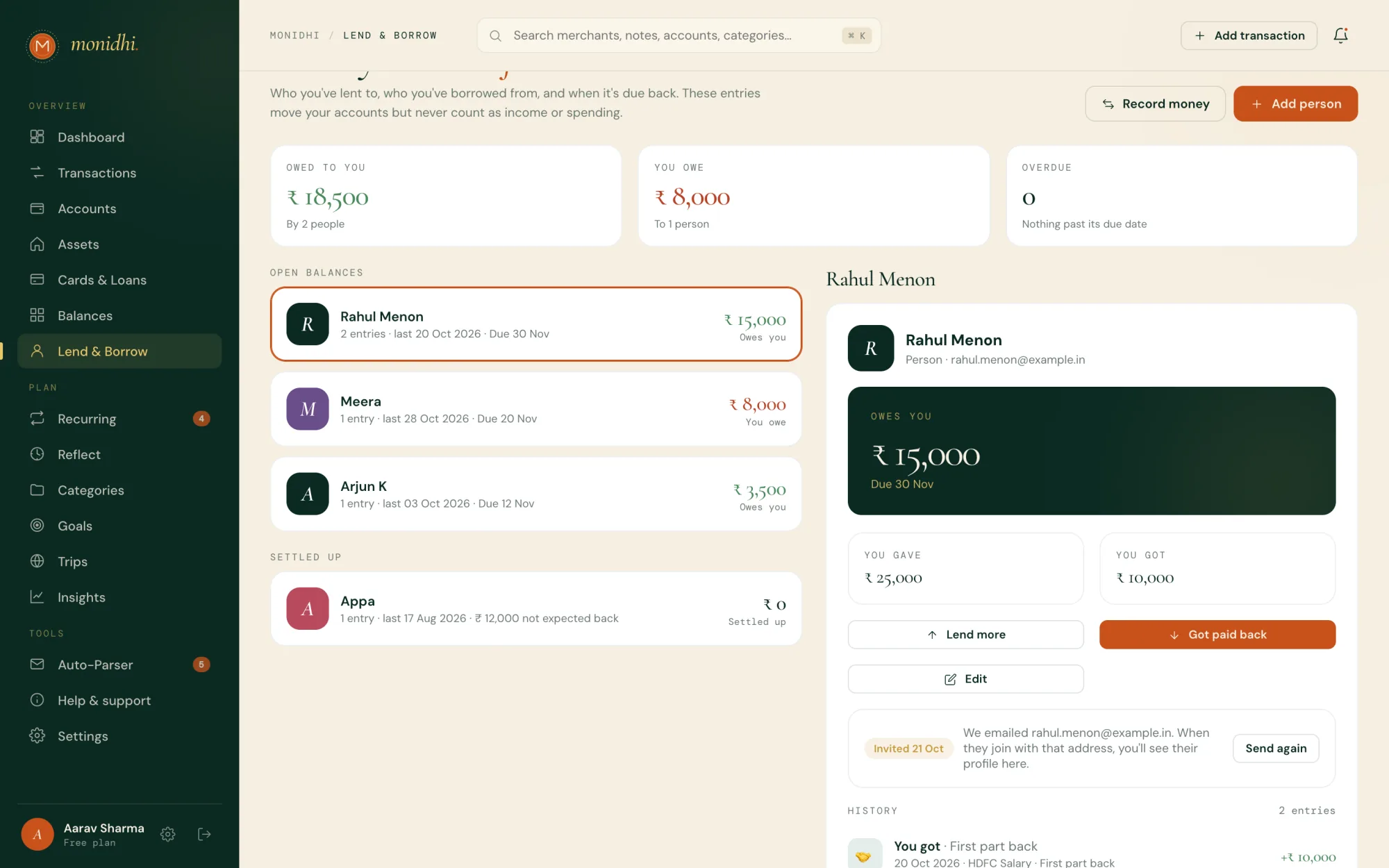
Add the person under Lend & Borrow, then record money you gave them or got from them. Each entry moves the account it came from or went to, but never counts as income or spending, so your budgets and insights stay clean. You can also pick a person on any income or expense entry.
See it in the app, on Lend & Borrow →Yes. Give a balance a due date and Monidhi reminds you the day before and on the day. When the balance comes back to zero the date clears.
See it in the app, on Lend & Borrow →Mark the entry as not expected back. It still moves your account and stays out of income and spending, but it leaves the person’s balance, so it stops showing as owed and no reminder comes.
Add it as an opening balance on the person: They owe me or I owe them, and the amount. It counts towards the balance and its due date without moving any account, and shows as the oldest line in their history.
Add their email and choose Invite to Monidhi. The email names you and says nothing about money. Once they join with that address, their profile shows on their page. Monidhi does not say whether an address already has an account.
See it in the app, on Lend & Borrow →Planning a trip, spending abroad, and seeing it all in rupees.
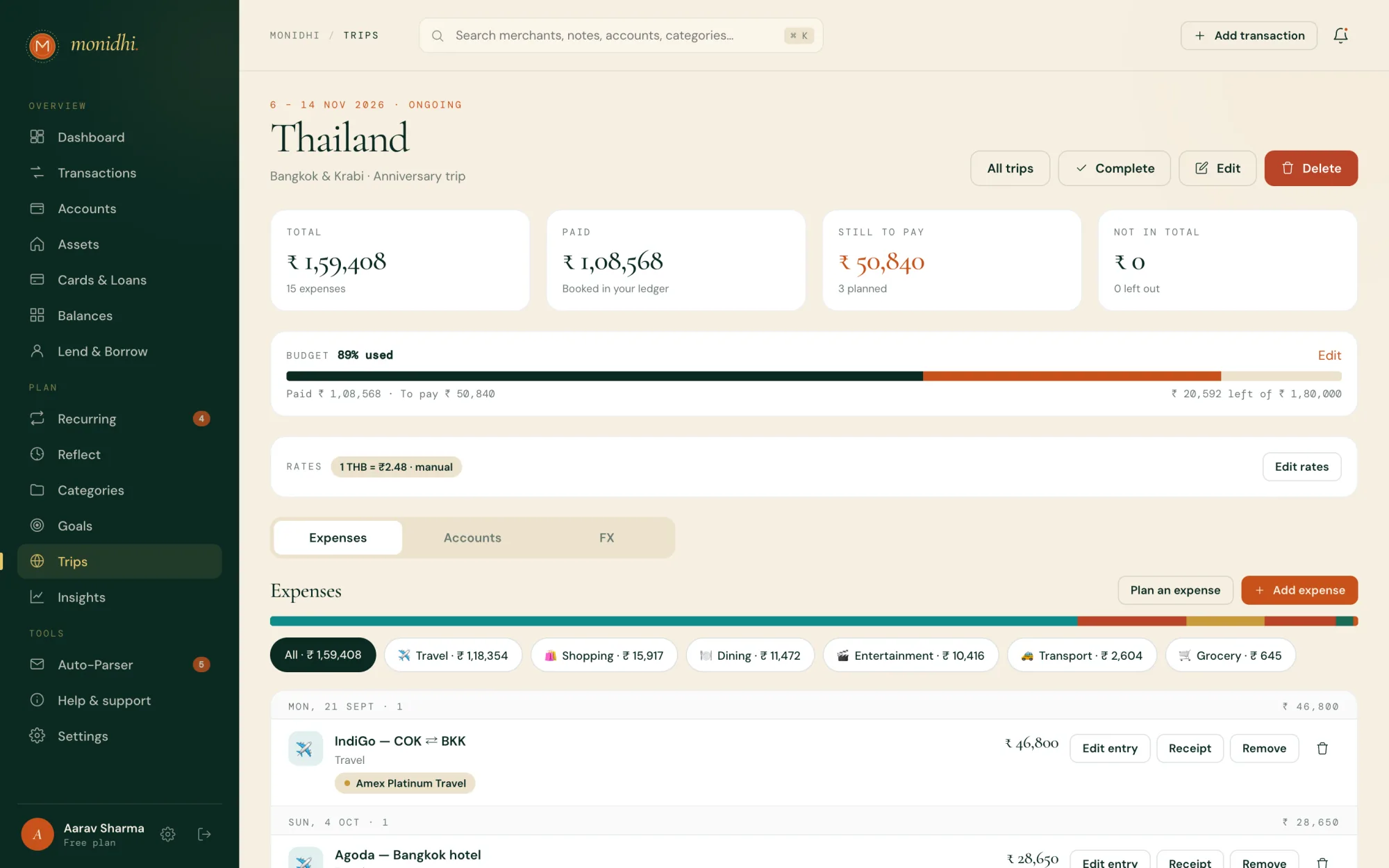
Make a trip with its dates and the currencies you will spend in, and set a budget. Plan the expenses you know are coming, then mark each paid as it happens. Entries on accounts you attach, and entries you tag, join the trip, and the whole journey adds up in rupees.
See it in the app, on Trips →Add a wallet, forex card or cash account in that currency and attach it to the trip. Each spend is priced at the trip’s rate, with your card’s forex markup until the bank’s figure is known. Change a trip’s rates and the entries priced at them are rebooked.
See it in the app, on Trips →Reading the numbers, and taking them with you as a CSV.
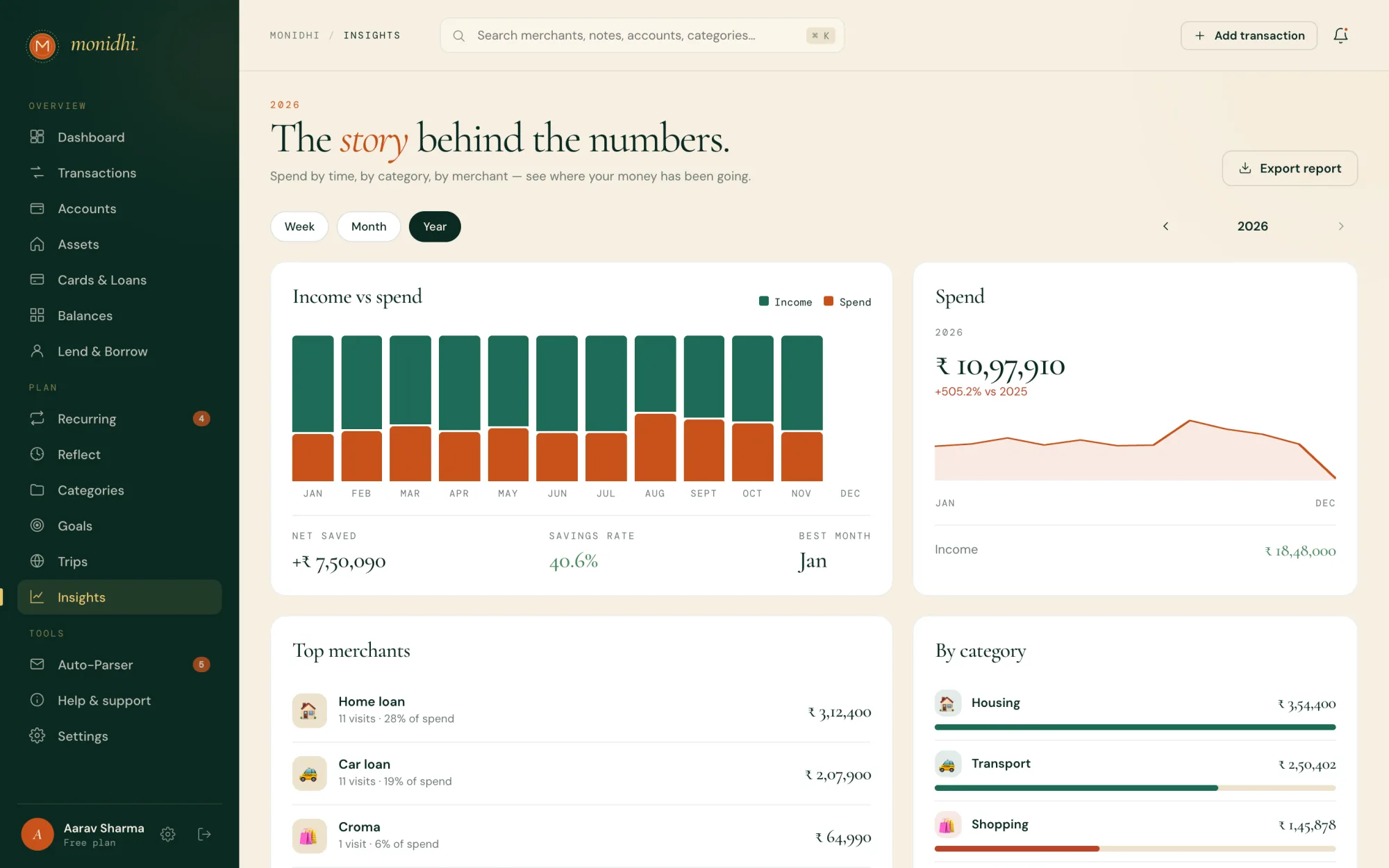
Income against spend by day, week or month for the period you pick, your savings rate, where the money went by category and subcategory, and your top merchants. The arrows move a period back or forward.
See it in the app, on Insights →As a CSV. Export on Transactions takes every entry that matches your filters; Export report on Insights takes the period on screen; Settings → Data export takes this month, everything, or a date range.
See it in the app, on Settings →Every Monday, last week’s spend, income, entry count and top category, as a notification and an email. Turn it off under Settings → Notifications.
What Monidhi tells you about, and how it reaches you.
Bills, income and transfers due today or tomorrow; a card’s statement day and its payment coming up; money due back from or to a person; a category going over its budget; a bank message staged for review; a value that could not be worked out; replies from support; and the weekly summary. Each one sits under the bell on the web and under Notifications on the phone, and opens what it is about.
On the phone, allow notifications when asked, or turn them on under Settings → Notifications. In a browser, Settings → Notifications → Notifications in this browser; they arrive even with the tab closed. Every phone and browser the account pushes to is listed there, and any can be removed.
See it in the app, on Settings →Turn on Quiet hours under Settings → Notifications. Pushes between 22:00 and 08:00 on your clock wait until morning; the notification itself still lands at once.
See it in the app, on Settings →Where your journal lives, who can look, and leaving.
On Monidhi’s servers, under your account, which is how it syncs across the web and your phone. From a bank message only the amount, merchant, sender and time are kept, plus a one-way fingerprint to spot duplicates. The privacy policy has the full detail.
Staff tools show your profile, your accounts and what your entries were for, never an amount, a balance or a value, and every look is written to an audit log. We do not sell or rent what you record.
No. Monidhi never connects to your bank, broker or fund house. Messages fill your journal, and investments are priced from public sources like AMFI’s daily NAVs, or typed in by you.
Changing how you sign in, adding a passkey or phone, or asking for your account to be deleted wants a recent proof that it is you. Signing in counts for a few minutes; after that Monidhi sends a code to your email and asks for it.
Settings → Security → Sign out everywhere else ends every other session; this one stays. Setting or changing your password does the same. Remove any passkey or phone you do not recognise from the same tab.
See it in the app, on Settings →On the web, Settings → Profile → Danger zone → Delete account; on the phone, Delete account under Profile. You are signed out everywhere and the account is deleted after 7 days; sign in before then and choose Keep my account to change your mind. It is gone from our backups within 30 days. Export your transactions first if you want a copy.
See it in the app, on Settings →Not from Settings yet: your email is how you sign in. Write to support with the address you would like to use.
Reaching us, checking the service, and finding the tutorials.
Help & support in the app: open a request, and the whole conversation stays there. We email you when a reply arrives. Or write to support@monidhi.com.
See it in the app, on Help & support →Check that you are online, then the status page for known problems. The apps reconnect on their own once the service is back. If it keeps happening, open a request under Help & support and say what you were doing.
See it in the app, on Help & support →On the web, every page has a Show me button in the top bar that walks through that page with each part highlighted, and FAQ & tutorials lists them all. On the phone, FAQ & tutorials under your profile lists them, and Show me on a tutorial walks its screen the same way.
See it in the app, on Dashboard →Click through the steps here, or open one in the app: it goes to that page and lights up each part in turn, with Back, Next and the arrow keys to move along.
Where every day starts: what you are worth, what is due, and what moved.
Every entry, searchable and filterable, with the month’s totals above.
Banks, wallets and cash: the money your entries move.
What you own, at what it is worth, with a history of every value.
What you owe, what each card and loan costs, and when it is due.
Sums you build from the accounts, cards and loans you choose.
Rent, subscriptions, SIPs, EMIs and card bills, reminded before they are due.
An amount, weighed against your own numbers.
Where the money goes, and the limits you set for it.
Bank SMS and emails, read for you and staged until you confirm them.
Where to ask, and where the answers land.
Your profile, how you sign in, what notifies you, and your data.
A treasure-keeper for your money — and yours alone.